Researched guide · Last checked: Nov 17, 2026
This article contains affiliate links. If you book through them, we may earn a commission at no extra cost to you. See our Affiliate Disclosure.
An eSIM is the easiest way for most solo travelers to get mobile data in Japan. You buy a data plan online, install it on your phone with a QR code before you fly, and switch it on when you land. Here is how it works, how to check your phone, what plans look like and how it compares with pocket Wi-Fi and roaming.
Quick facts
| How it works | A digital SIM installed on your phone with a QR code or an app. No card to swap |
| Check your phone | iPhone XS, XR and newer support eSIM. Your phone must be unlocked (iPhone: Settings > General > About > Carrier Lock: “No SIM restrictions”) |
| Plan sizes on Klook | From 500 MB to 50 GB in total, or per-day plans; validity from 1 to 30 days |
| Price guide | Klook search results showed Japan eSIMs from about US$0.70 to US$5.35 as starting prices (November 13, 2026). The total depends on data and days |
| Calls | Most travel eSIMs are data only, with no Japanese phone number |
| Last checked | November 2026 (on November 17, 2026) |
Plans and prices are set by each provider and change often. The figures here are from Klook listings on November 13, 2026.
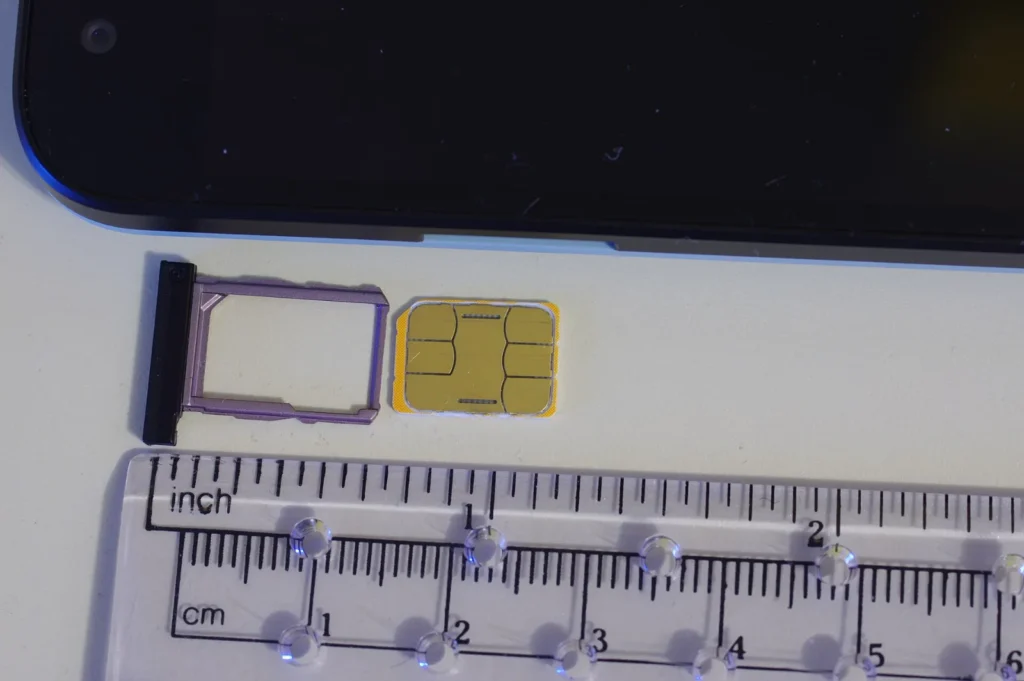
Can your phone use an eSIM?
- iPhone: iPhone XS, XR and newer support eSIM. Go to Settings > General > About and check that Carrier Lock says “No SIM restrictions”.
- Android: many recent models support eSIM, but not all. Check your phone’s settings or the maker’s website, and make sure it is unlocked.
- If your phone is locked to your home carrier, a Japan eSIM will not work. Use pocket Wi-Fi instead.
How much data do you need?
Maps, train apps and messaging use little data; video calls, streaming and uploading photos use much more. Plans on Klook come in two types:
- Data in total: one amount for the whole trip, from 500 MB up to 50 GB.
- Data per day: a daily amount that resets each day. “Unlimited” plans usually slow down after a daily limit. For example, one Klook listing gives 10 GB a day at full speed, then 128 kbps.
If you are not sure, a per-day plan avoids running out on the last days of your trip.
One example on Klook is “eSIM Japan | Softbank 5G / IIJ (Docomo) 4G LTE”: data only, valid for 1 to 30 days, with plans from 500MB to 50GB or unlimited. It started at about US$3.20 when we checked on November 13, 2026.
Affiliate link
Another option: Saily
Saily is a travel eSIM app with a Japan plan list on its own website. It says its Japan plans use partner carriers such as KDDI and SoftBank, and work on eSIM-capable phones. Prices below are the ones shown on Saily’s Japan page on November 17, 2026, in US dollars.
| Plan | Valid for | Price |
|---|---|---|
| 1 GB | 7 days | US$3.99 |
| 3 GB | 30 days | US$7.99 |
| 5 GB | 30 days | US$10.99 |
| 10 GB | 30 days | US$17.99 |
| 20 GB | 30 days | US$24.99 |
| Unlimited | 15 days | US$48.99 |
On Saily’s page, the unlimited plan has full speed for 5 GB a day, then data up to 1 Mbps. You set up the plan in the Saily app. The data plan starts when you arrive in Japan, and Saily says a plan you buy has a 180-day window to be activated. Saily also lists 24/7 chat support. Plans and prices can change, so check before you buy.
Set it up before you fly
- Buy the plan before you leave, while you have good Wi-Fi at home.
- Install it by scanning the QR code or using the provider’s app. Do not delete it after installing.
- On the Klook listing we checked, data and validity only start when you reach Japan, so you can install early.
- When you land, turn on the eSIM line and data roaming for that line. Keep roaming off on your home line to avoid charges.
- If it does not connect, restart your phone and check the provider’s setup guide.
eSIM, pocket Wi-Fi or roaming?
| eSIM | Pocket Wi-Fi | Home roaming | |
| Best for | One person with a newer unlocked phone | Families and groups | Short trips, if your plan includes Japan |
| Set up | Install before you fly | Pick up at the airport or have it delivered | Nothing to set up |
| Carry | Nothing extra | A router you charge every night | Nothing extra |
| Return | Nothing to return | Return at the end of the trip | Nothing to return |
| Cost | Set by the plan | Set by the rental days | Set by your home carrier. Check before you go |
Things to know
- No phone number: most travel eSIMs are data only. Use calling and messaging apps, or keep your home line for calls and texts.
- Hotspot: some plans let you share data with a laptop or travel partner. Check the listing.
- Refunds: the Klook listing we checked gives a full refund if you cancel before the eSIM connects.
- Free Wi-Fi exists in many stations and cafes, but use it as a backup only.
For the bigger picture, including physical SIM cards and free Wi-Fi, see staying connected in Tokyo. For apps to install, see essential apps for Japan.
FAQ
Does a Japan eSIM give me a phone number?
Most travel eSIMs are data only. Use messaging and calling apps, or keep your home SIM for calls.
When should I install my eSIM?
Before you leave home, while you have good Wi-Fi. Then switch it on when you land.
How do I know if my phone supports eSIM?
iPhone XS, XR and newer support eSIM. On Android, check the settings or the maker’s website. The phone must also be unlocked.
eSIM or pocket Wi-Fi?
An eSIM is easiest for one person with a newer unlocked phone. Pocket Wi-Fi is often better for groups who stay together.
How much does a Japan eSIM cost?
It depends on data and days. Klook search results showed starting prices from about US$0.70 to US$5.35 on November 13, 2026.
Keep reading



Related guides


Sources
eSIM support and unlocking come from Apple. Plan types, data limits and refund rules come from Klook listings (Last checked: November 13, 2026). Saily plans and prices come from Saily’s Japan page (Last checked: November 17, 2026). Plans and prices are set by each provider, so please check before you buy.